As the owner or co-owner of a Trusted Share, you can archive a Trusted Share from 'My Shares', and restore it later. The following steps will be reviewed:
Archive a Trusted Share
In 'My Shares', select the share.
Click the 'Archive' button in the top menu to initiate archive.
Note:
Archiving a Trusted Share will expire access for all recipients, including co-owners. They will no longer be able to access the share contents until you restore it.
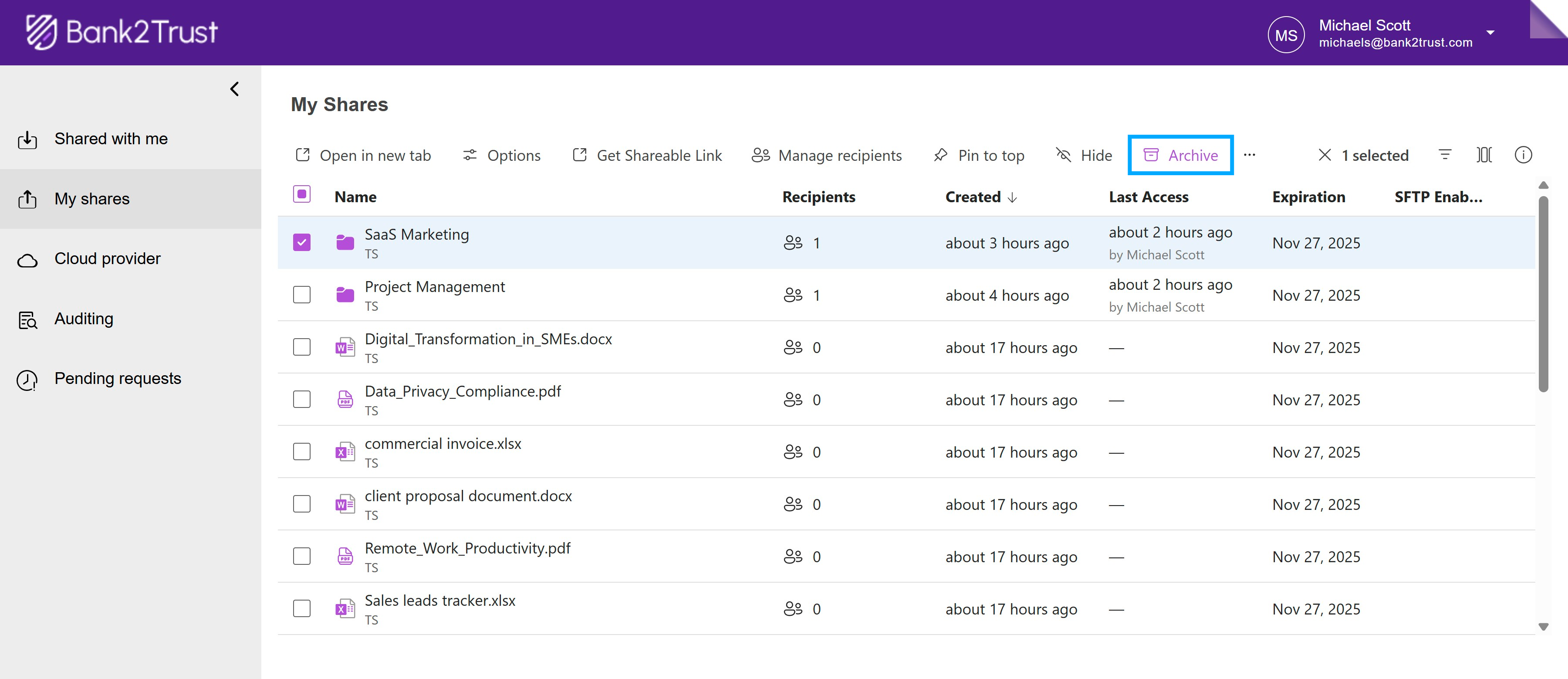
In the confirmation dialog, click 'Archive' to confirm the action. A notification appears confirming that selected shares were archived.

Restore an Archived Share
Note:
Restoring an archived share restores access to all recipients.
Click the 'Filters' icon in the top-right corner to open filter options.
Select 'Archived Shares' to view all archived shares.
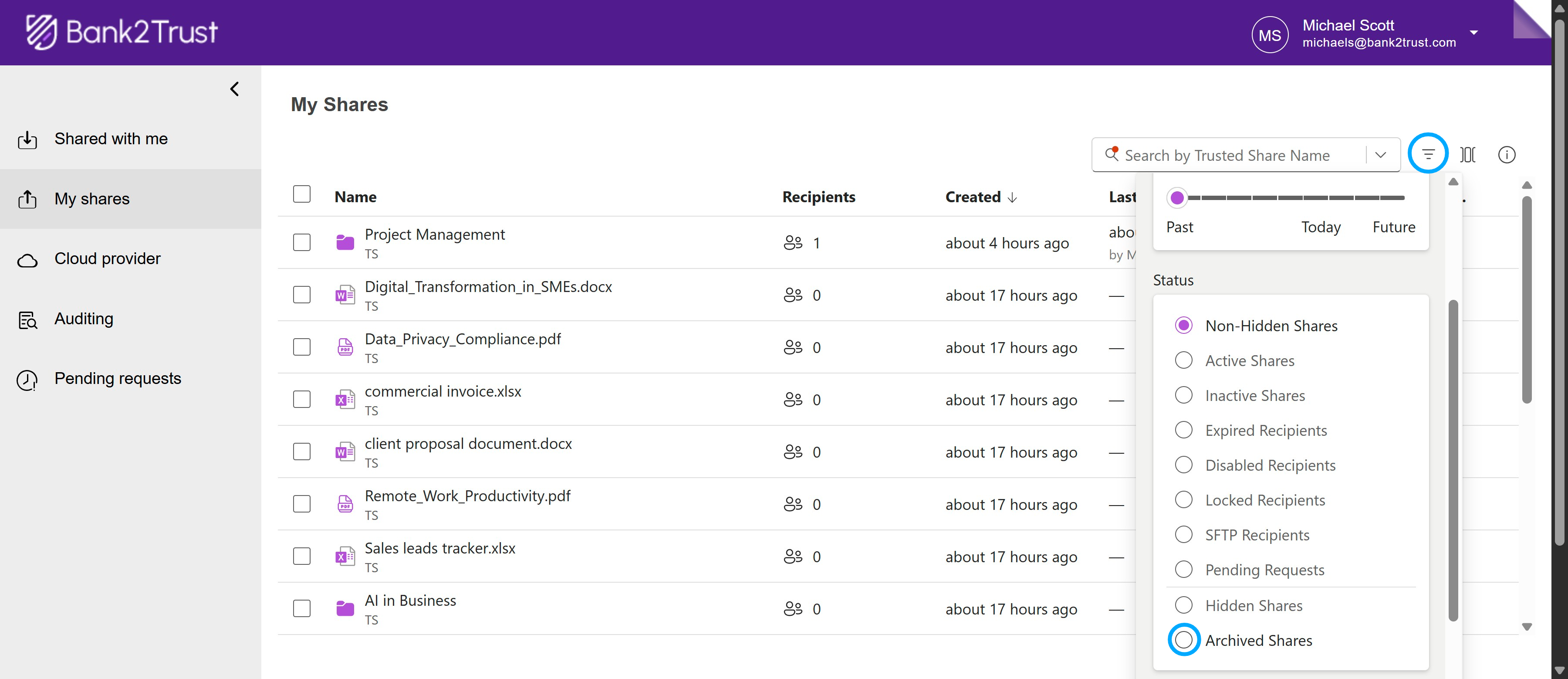
Choose the share you want to restore and click 'Restore'.

In the confirmation dialog, click 'Restore' to confirm restoration. A notification appears confirming that selected shares have been restored.
