This document explains how to resolve an issue where the Secure Mail add-in fails to load all sharing policies. The following steps will be reviewed:
Clear the Cache and Reload Sharing Policies
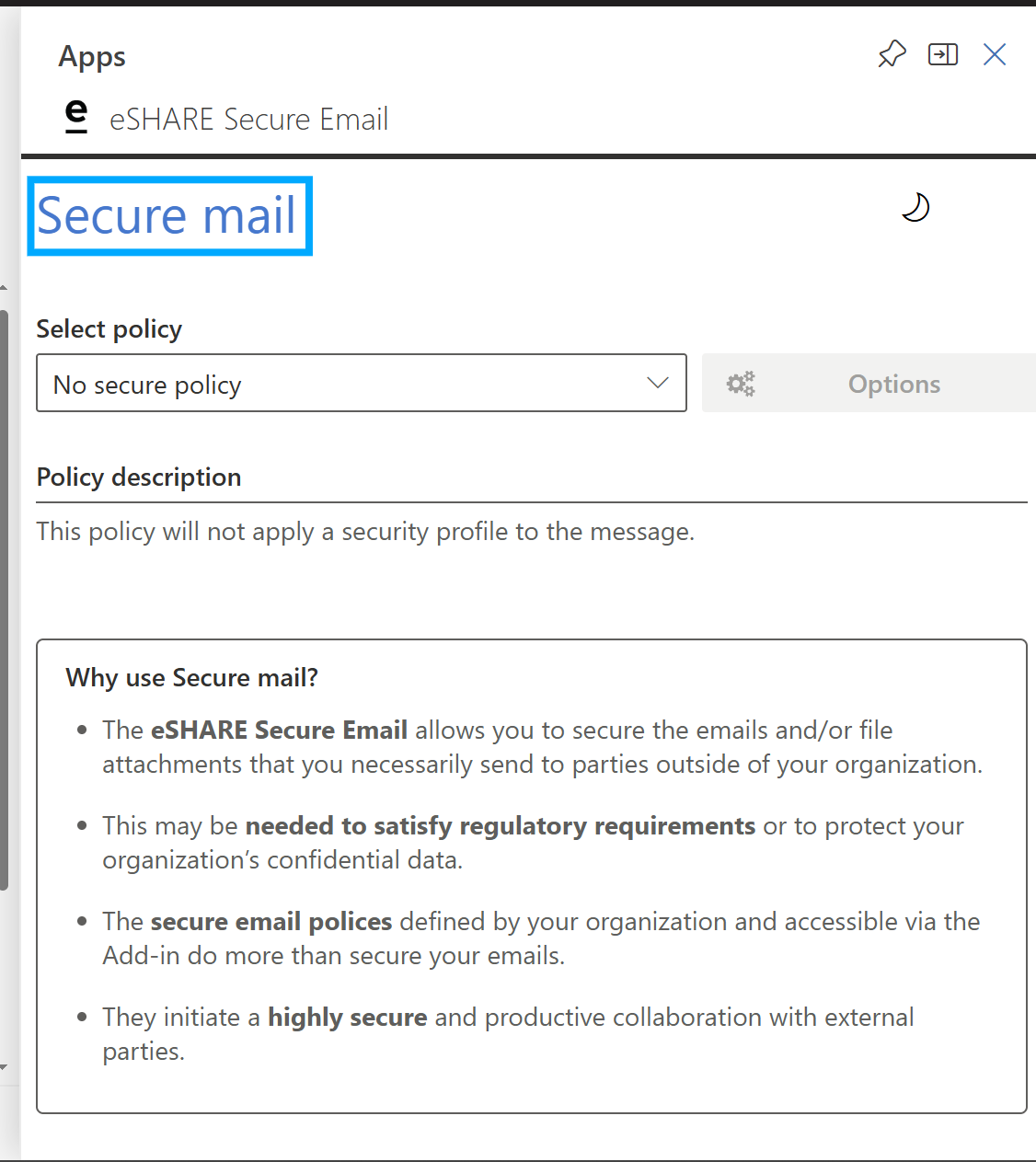
Open the Secure Mail add-in in Outlook.
Double-click 'Secure Mail' at the top of the add-in.
Select 'Reload Policies' and 'Clear Cached Data'.
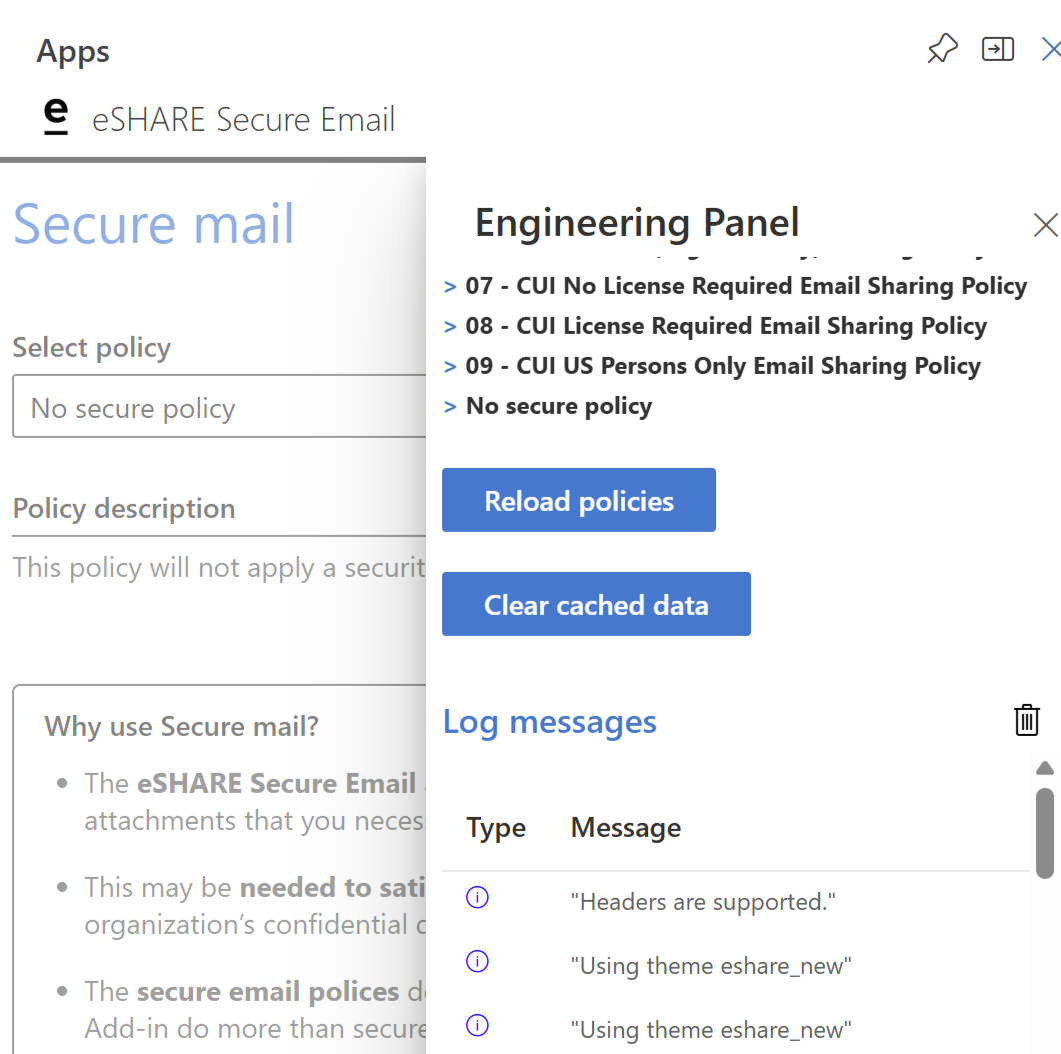
Close the add-in, then open it again.