This document describes the 'Respect Microsoft External File Sharing Site Attributes' setting in Device Policy. This setting lets eSHARE defer to the native Microsoft external sharing attribute on a SharePoint site, so that sites with external sharing disabled at the Microsoft 365 level cannot be used for external sharing in eSHARE, even if eSHARE's own sharing configuration would otherwise allow it. The following steps will be reviewed:
REQUIREMENT:
The person performing these steps must have Administrator access to the eSHARE Admin Console.
Respect Microsoft External File Sharing Site Attributes
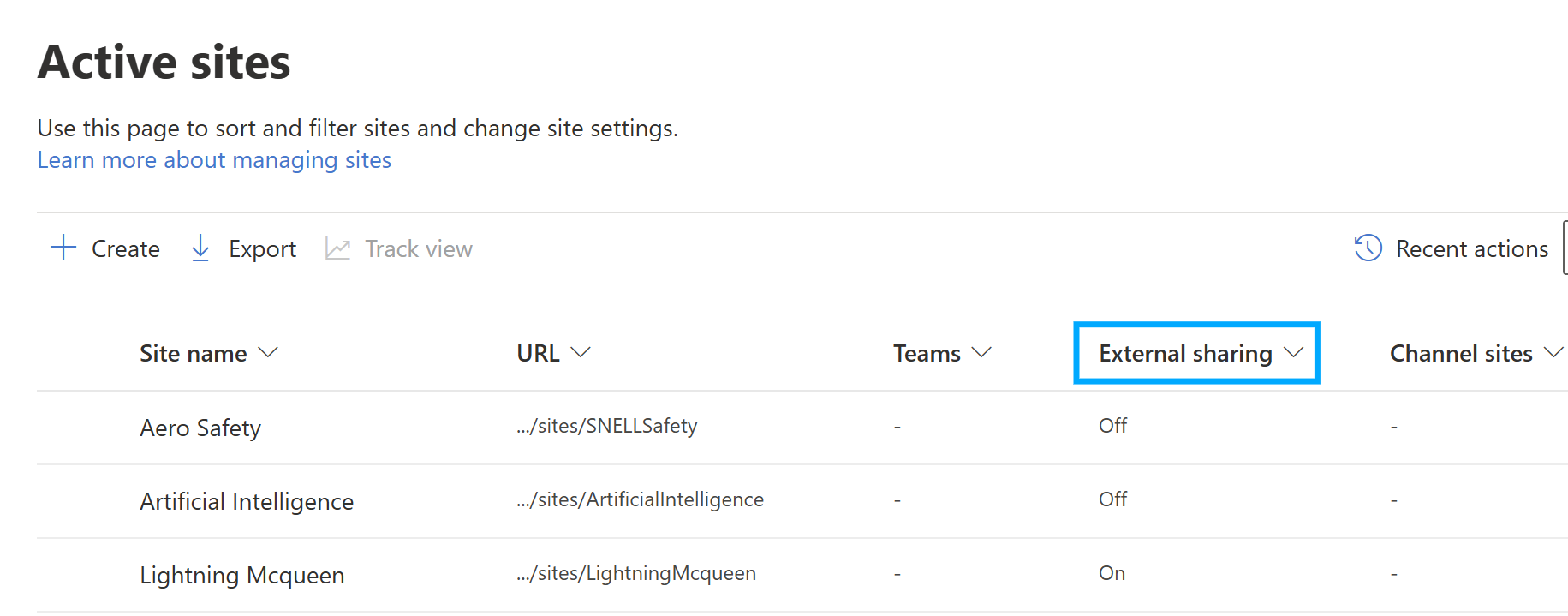
Every SharePoint site has its own native Microsoft 'External sharing' attribute, managed in the Microsoft 365 / SharePoint Admin Center, independent of eSHARE's sharing configuration. By default, eSHARE does not check this attribute — a site can be used for external sharing in eSHARE even if its Microsoft attribute is off. This setting closes that gap for organizations who want the Microsoft-level attribute to be authoritative.
To Enable this option on eSHARE
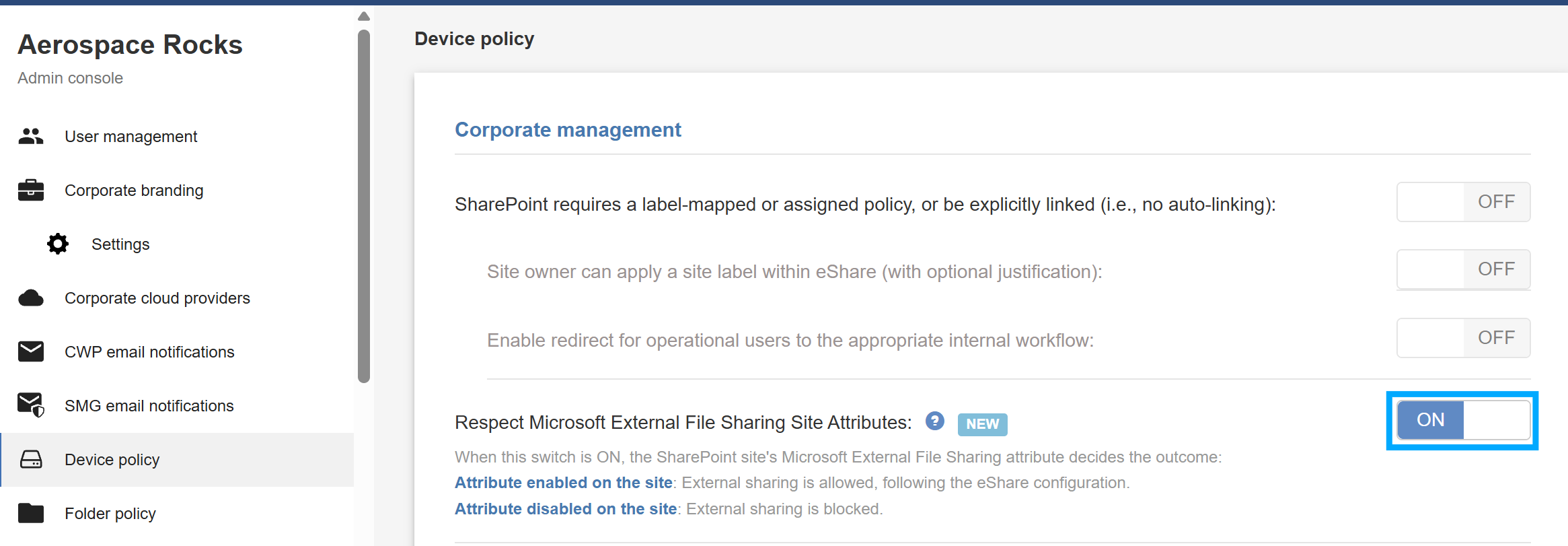
Navigate to 'Admin Console' > 'Device Policy'.
Under 'Corporate management', locate 'Respect Microsoft External File Sharing Site Attributes'.
Toggle the setting to 'ON'.
Scroll down and click Save all changes
Note:
We recommend enabling only one SharePoint governance mechanism at a time — either ‘Respect Microsoft External File Sharing Site Attributes’ or the SharePoint requires a label-based governance settings (described in SharePoint Site Registration Governance) — rather than combining them, to avoid overlapping or conflicting sharing restrictions.
Once enabled, the outcome of an external share attempt from a SharePoint site depends on that site's Microsoft attribute:
Attribute enabled on the site: External sharing is allowed, following eSHARE's existing configuration.
Attribute disabled on the site: External sharing is blocked.
Note:
The SharePoint site's External Sharing attribute is configured natively in the Microsoft 365 / SharePoint Admin Center and is not managed within eSHARE. Contact your SharePoint administrator to change this attribute for a given site.